package qs19ESLPlanning.panel;

import javax.swing.BorderFactory;
import javax.swing.JComponent;
import javax.swing.JFrame;
import javax.swing.JPanel;
import javax.swing.JLayeredPane;

import java.awt.GridBagLayout;
import java.awt.GridBagConstraints;

import javax.swing.BoxLayout;

import net.miginfocom.swing.MigLayout;

import java.awt.Insets;

import javax.swing.border.MatteBorder;

import java.awt.Color;

import javax.swing.JLabel;

import java.awt.Component;
import java.awt.Dimension;
import java.awt.Font;
import java.awt.FlowLayout;
import java.awt.BorderLayout;
import java.awt.Graphics;

import javax.swing.SwingConstants;

import qs19ESLPlanning.QSESLDatabaseConnection;
import qs19ESLPlanning.QSESLDevice;
import qs19ESLPlanning.QSESLDevice2;
import qs19ESLPlanning.QSESLFunctions;
import uipanels.QSDesktopPanel;

import java.awt.GridLayout;
import java.awt.event.ActionEvent;
import java.awt.event.ActionListener;
import java.awt.event.ComponentEvent;
import java.awt.event.ComponentListener;
import java.awt.event.MouseEvent;
import java.awt.event.MouseListener;
import java.awt.event.MouseMotionListener;
import java.util.ArrayList;

import javax.swing.SpringLayout;

import com.jgoodies.forms.layout.FormLayout;
import com.jgoodies.forms.layout.ColumnSpec;
import com.jgoodies.forms.layout.RowSpec;

import javax.swing.JTable;
import javax.swing.JMenuBar;
import javax.swing.JSlider;
import javax.swing.event.ChangeListener;
import javax.swing.event.ChangeEvent;
import javax.swing.JMenu;
import javax.swing.JMenuItem;
import javax.swing.JPopupMenu;

import java.awt.event.MouseAdapter;

import javax.swing.JCheckBoxMenuItem;
import javax.swing.KeyStroke;

import java.awt.event.KeyEvent;

import javax.swing.JButton;
import javax.swing.GroupLayout;
import javax.swing.GroupLayout.Alignment;
import javax.swing.JSeparator;


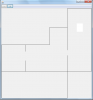
public class Layout2 extends JFrame implements ActionListener, MouseListener{

	/**
	 * Create the panel.
	 */
	private JPanel microscopePanel,mechanicPanel,garagePanel,officePanel,climaticPanel;
	private JFrame frame = this;

	private JMenuBar menuBar;
	private JButton btnSmaller;
	private JButton btnBigger;
	private double faktor = 1.1,dFaktor = 0.08;
	private static int height = 320;
	private static int width = 300;
	private int oldFrameWidth,oldFrameHeight,oldOX,oldOY;
	private Device device;
	private GroupLayout gl_officePanel;
	private int oPX,oPY,oW,oH;

	public Layout2() {
		setMinimumSize(new Dimension(width,height));
		this.setResizable(false);
		GridBagLayout gridBagLayout = new GridBagLayout();
		gridBagLayout.columnWidths = new int[]{80, 80, 40, 80, 0};
		gridBagLayout.rowHeights = new int[]{40, 30, 90, 90, 0};
		gridBagLayout.columnWeights = new double[]{1.0, 1.0, 1.0, 1.0, Double.MIN_VALUE};
		gridBagLayout.rowWeights = new double[]{1.0, 1.0, 1.0, 1.0, Double.MIN_VALUE};

		getContentPane().setLayout(gridBagLayout);

		microscopePanel = new JPanel();
		microscopePanel.setBorder(new MatteBorder(1, 1, 0, 1, (Color) new Color(0, 0, 0)));
		GridBagConstraints gbc_microscopePanel = new GridBagConstraints();
		gbc_microscopePanel.insets = new Insets(0, 0, 5, 5);
		gbc_microscopePanel.fill = GridBagConstraints.BOTH;
		gbc_microscopePanel.gridx = 2;
		gbc_microscopePanel.gridy = 1;
		gbc_microscopePanel.insets = new Insets(0,0,0,0);
		getContentPane().add(microscopePanel, gbc_microscopePanel);

		mechanicPanel = new JPanel(){
			@Override
			public void paintComponent(Graphics g){
				super.paintComponent(g);
				g.drawLine(0, 0, this.getWidth()-1, 0);
				g.drawLine(0, 0, 0, this.getHeight()-1);
				g.drawLine(0, this.getHeight()-1, this.getWidth()-1, this.getHeight()-1);
				g.drawLine(this.getWidth()-1, this.getHeight()-1, this.getWidth()-1, (int) ((this.getHeight()-1) * 0.6));
				g.drawLine(this.getWidth()-1, 0, this.getWidth()-1, (int) ((this.getHeight()-1) * 0.25));
				this.validate();
			}
		};
		mechanicPanel.setBorder(null);
		GridBagConstraints gbc_mechanicPanel = new GridBagConstraints();
		gbc_mechanicPanel.insets = new Insets(0, 0, 5, 5);
		gbc_mechanicPanel.fill = GridBagConstraints.BOTH;
		gbc_mechanicPanel.gridx = 0;
		gbc_mechanicPanel.gridy = 2;
		gbc_mechanicPanel.insets = new Insets(0,0,0,0);
		getContentPane().add(mechanicPanel, gbc_mechanicPanel);
		GridBagLayout gbl_mechanicPanel = new GridBagLayout();
		gbl_mechanicPanel.columnWidths = new int[]{0};
		gbl_mechanicPanel.rowHeights = new int[]{0};
		gbl_mechanicPanel.columnWeights = new double[]{Double.MIN_VALUE};
		gbl_mechanicPanel.rowWeights = new double[]{Double.MIN_VALUE};
		mechanicPanel.setLayout(gbl_mechanicPanel);

		climaticPanel = new JPanel(){
			@Override
			public void paintComponent(Graphics g){
				super.paintComponent(g);
				g.drawLine(0, 0, this.getWidth()-1-microscopePanel.getWidth(), 0);
//				g.drawLine(0, 0, 0, this.getHeight()-1);
				g.drawLine(0, this.getHeight()-1, this.getWidth()-1, this.getHeight()-1);
				g.drawLine(this.getWidth()-1, this.getHeight()-1, this.getWidth()-1, (int) ((this.getHeight()-1) * 0.4));
				g.drawLine(this.getWidth()-1, 0, this.getWidth()-1, (int) ((this.getHeight()-1) * 0.20));

				this.validate();
			}
		};
		climaticPanel.setBorder(null);
		GridBagConstraints gbc_climaticPanel = new GridBagConstraints();
		gbc_climaticPanel.gridwidth = 2;
		gbc_climaticPanel.insets = new Insets(0, 0, 5, 5);
		gbc_climaticPanel.fill = GridBagConstraints.BOTH;
		gbc_climaticPanel.gridx = 1;
		gbc_climaticPanel.gridy = 2;
		gbc_climaticPanel.insets = new Insets(0,0,0,0);
		getContentPane().add(climaticPanel, gbc_climaticPanel);
		GridBagLayout gbl_climaticPanel = new GridBagLayout();
		gbl_climaticPanel.columnWidths = new int[]{0};
		gbl_climaticPanel.rowHeights = new int[]{0};
		gbl_climaticPanel.columnWeights = new double[]{Double.MIN_VALUE};
		gbl_climaticPanel.rowWeights = new double[]{Double.MIN_VALUE};
		climaticPanel.setLayout(gbl_climaticPanel);

		officePanel = new JPanel(){
			@Override
			public void paintComponent(Graphics g){
				super.paintComponent(g);
				g.drawLine(0, 0, 0, this.getHeight()-1-(climaticPanel.getHeight()+microscopePanel.getHeight()));
				this.validate();
			}
		};
		officePanel.addMouseListener(this);
		officePanel.setBorder(new MatteBorder(1, 0, 1, 1, (Color) new Color(0, 0, 0)));
		officePanel.setLayout(null);
		GridBagConstraints gbc_officePanel = new GridBagConstraints();
		gbc_officePanel.insets = new Insets(0, 0, 5, 0);
		gbc_officePanel.gridheight = 3;
		gbc_officePanel.fill = GridBagConstraints.BOTH;
		gbc_officePanel.gridx = 3;
		gbc_officePanel.gridy = 0;
		gbc_officePanel.insets = new Insets(0,0,0,0);
		getContentPane().add(officePanel, gbc_officePanel);


		garagePanel = new JPanel();
		garagePanel.setBorder(new MatteBorder(0, 1, 1, 1, (Color) new Color(0, 0, 0)));
		GridBagConstraints gbc_garagePanel = new GridBagConstraints();
		gbc_garagePanel.gridwidth = 3;
		gbc_garagePanel.insets = new Insets(0, 0, 0, 5);
		gbc_garagePanel.fill = GridBagConstraints.BOTH;
		gbc_garagePanel.gridx = 0;
		gbc_garagePanel.gridy = 3;
		gbc_garagePanel.insets = new Insets(0,0,0,0);
		getContentPane().add(garagePanel, gbc_garagePanel);

		menuBar = new JMenuBar();
		setJMenuBar(menuBar);

		btnSmaller = new JButton("-");
		btnSmaller.addActionListener(this);
		btnSmaller.setActionCommand("-");
		menuBar.add(btnSmaller);

		btnBigger = new JButton("+");
		btnBigger.addActionListener(this);
		btnBigger.setActionCommand("+");
		menuBar.add(btnBigger);
//		officePanel.setLayout(new BorderLayout());
		load();

	}

	public void load() {


		device = new Device();
		device.setBounds(0, 111, 24, 25);
		oPX = 0;
		oPY = 111;
		oW = 24;
		oH = 25;
		officePanel.add(device);
	}

	@Override
	public void actionPerformed(ActionEvent ae) {
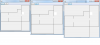
		if(ae.getActionCommand().equals("+")){
			faktor += 0.1;
			oldOX = device.getLocation().x;
			oldOY = device.getLocation().y;
			oldFrameWidth = getSize().width;
			oldFrameHeight = getSize().height;
			this.setResizable(true);
			this.setSize(MyFunctions.getDimension(faktor,height,width));
			this.setResizable(false);

			this.validate();

			device.setBounds((int)( oPX * faktor ), (int)(oPY * faktor),
					(int)(oW * faktor),(int) (oH * faktor));

		}
		if(ae.getActionCommand().equals("-")){
			faktor -= 0.1;
////			oldOfficeWidth = officePanel.getSize().width;
////			oldOfficeHeight = officePanel.getSize().height;
////			oldFrameWidth = getSize().width;
//			oldFrameHeight = getSize().height;
//			this.setResizable(true);
//			frame.setSize(MyFunctions.getDimension(faktor,height,width));
//			this.setResizable(false);
//
//			this.validate();
//
//			double aRechts,aUnten;
//			aRechts = (double) officePanel.getSize().width / oldOfficeWidth;
//			aUnten = (double) officePanel.getSize().height / oldOfficeHeight;
//
//			int w =  officePanel.getSize().width - oldOfficeWidth ;
//			int h =  officePanel.getSize().height - oldOfficeHeight;
//			device.setBounds((int)(device.getLocation().x), (int)(device.getLocation().y),
//					(int)(device.getSize().width  * aRechts),(int) (device.getSize().height * aUnten));
//			System.out.println(oldOfficeHeight + "-" + officePanel.getSize().height + "=" + (oldOfficeHeight - officePanel.getSize().height));
		}

		// TODO Auto-generated method stub
    }
	private static void addPopup(Component component, final JPopupMenu popup) {
		component.addMouseListener(new MouseAdapter() {
			public void mousePressed(MouseEvent e) {
				if (e.isPopupTrigger()) {
					showMenu(e);
				}
			}
			public void mouseReleased(MouseEvent e) {
				if (e.isPopupTrigger()) {
					showMenu(e);
				}
			}
			private void showMenu(MouseEvent e) {
				popup.show(e.getComponent(), e.getX(), e.getY());
			}
		});
	}

	protected void layoutMyPanel(int newWidth, int newHeight){
		//myPanel.removeAll(); ...ggfs nötig? (s. (*))
//		myTable.setBounds( /*neue bounds*/ );
		//myPanel.add(myTable);(*)
//		myTextPane.setBounds( /* neue bounds*/ );
		//myPanel.add(myTextPane);(*)     ...usw.
//		myPanel.revalidate();}
	}

	@Override
	public void mouseClicked(MouseEvent e) {
		// TODO Auto-generated method stub
		System.out.println(e.getLocationOnScreen());
	}

	@Override
	public void mouseEntered(MouseEvent e) {
		// TODO Auto-generated method stub

	}

	@Override
	public void mouseExited(MouseEvent e) {
		// TODO Auto-generated method stub

	}

	@Override
	public void mousePressed(MouseEvent e) {
		// TODO Auto-generated method stub

	}

	@Override
	public void mouseReleased(MouseEvent e) {
		// TODO Auto-generated method stub

	}
}